24/7 IT Support Without Burning Out Your Team
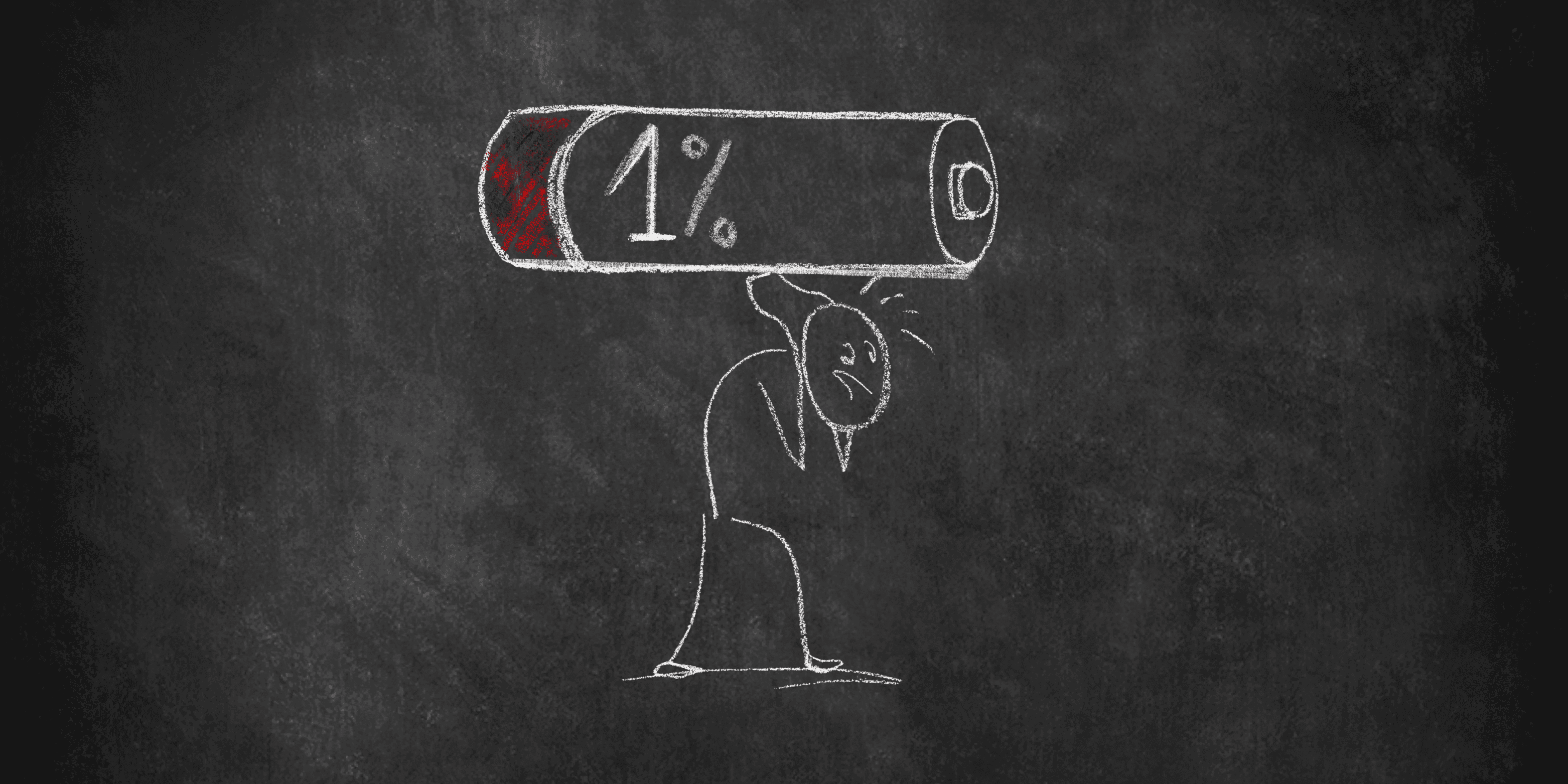
Employees don't stop having IT problems at 5 PM. Here's how to build sustainable overnight coverage without running your technicians into the ground.
IN THIS ARTICLE
Why the 9-to-5 workday no longer defines IT demand
How incident visibility reduces overnight resolution time
The real cost of on-call burnout for small teams
Building an on-call rotation that protects your technicians
Covering a remote and hybrid workforce after hours
A 30-day playbook to get started
A COMMON EVENING, AT TOO MANY ORGANIZATIONS
|  |
|---|
Nobody declared this the plan. It just became the plan.
For most small IT teams, after-hours support isn't a policy. It's a person. And that person is tired.
The problem isn't that employees need support after hours. Modern organizations operate across time zones, remote locations, and flexible schedules. IT issues don't wait until morning.
The real problem is that most teams with 2 to 10 technicians aren't built like enterprises. Without a deliberate plan, after-hours support becomes an informal system held together by personal sacrifice, and over time, that creates dangerous combinations of poor incident visibility, inconsistent coverage, and technician burnout.
The good news: delivering effective after-hours IT support doesn't require a bigger team. It requires a better operating model.
The Workday Is No Longer 9 to 5
The traditional business day is losing its grip on how organizations actually operate. Work is happening earlier, later, and on days it didn't used to.
40%of employees check email before 6 AM | +15%increase in messages sent outside 9–5 |
+16%increase in meetings after 8 PM | 52%of U.S. remote-capable workers are hybrid |
Employees expect near-continuous availability, leadership expects rapid response, and staffing levels remain unchanged. Meanwhile, nearly a third of active workers are back in their inboxes by 10 PM. Users aren't all sitting in the same office on the same network anymore. They're working from homes, airports, co-working spaces, and client sites. When an issue surfaces after hours, it can affect dozens of employees before anyone in IT even knows it's happening.
For small IT teams, this creates a difficult reality: employees expect near-continuous availability, leadership expects rapid response, and staffing levels remain unchanged.
The Foundation of After-Hours Support: Incident Visibility
When an alert fires at midnight, how quickly can your on-call technician answer these questions?
• What systems are affected?
• Who has already been notified?
• Is this new, or has it happened before?
• Which business services are actually impacted?
• What steps have already been taken?
If the answer is "it depends" or "they'd have to dig," every overnight incident becomes a manual investigation. That uncertainty multiplies resolution time and places unnecessary cognitive load on whoever picks up the call.
The leverage point isn't headcount. It's context. Adding more people to an environment with poor visibility just means more people operating with incomplete information. |
|---|
Effective incident visibility requires three things working together:
1. Alert prioritization that separates urgent from informational
2. A centralized record so responders can see exactly what's happened and when
3. Business context that helps technicians understand which systems actually matter to operations, not just which ones threw an error
A server warning means one thing. A server warning affecting payroll processing at 11 PM means something very different.
The Real Cost of Unsupported On-Call Work
Many organizations treat on-call as a routine part of IT. And to a degree, that's fair. The problem isn't being occasionally on-call. It's when after-hours responsibilities become unpredictable, frequent, and unsupported.
Burnout rarely comes from a single bad night. It comes from accumulation. At some point, technicians stop feeling like they're occasionally available and start feeling like they're never truly off.
The math is unforgiving.
2.6×more likely to leave their current employer | 63%more likely to take a sick day |
2×less likely to discuss performance goals with their manager | 23%more likely to visit an emergency room |
For a team of 2 to 10 technicians, losing one experienced person isn't just a headcount problem. It creates knowledge gaps, slows projects, and pushes the remaining team to absorb more, which accelerates burnout in everyone else. Retention is an operational risk.
RELATED READING The Path to Proactive Maturity: Why Small IT Teams Stay Reactive and How to Break the Cycle |
|---|
Build an On-Call Model That Protects Your Team
An on-call rotation is usually the first step toward improving after-hours coverage. The problem is most organizations stop there. Sustainable coverage isn't about deciding who carries the phone. It's about designing a system that limits unnecessary interruptions while ensuring critical issues get immediate attention.
1. Separate alerts from emergencies
Not every notification should wake someone up. Categorize alerts by business impact: critical outages trigger immediate escalation, performance warnings create tickets for morning review, and informational alerts are logged for trend analysis. This alone can dramatically cut overnight disruptions.
2. Create runbooks for common incidents
The goal of an on-call program shouldn't be to rely on your most experienced technician every time something breaks. Document response procedures for common incidents, including symptoms, likely causes, troubleshooting steps, escalation criteria, and communication templates. When responders aren't reinventing the wheel, resolution gets faster and less stressful.
3. Distribute responsibility through cross-training
Smaller teams often suffer because a handful of senior technicians become the default escalation path for everything. Cross-training frontline technicians and documenting institutional knowledge spreads that load more evenly, building a support model that's more resilient and less dependent on individual heroes.
Remote Work Changed the Coverage Equation
When employees worked in a centralized office, IT problems were visible. Someone walked over to the help desk or a colleague noticed the issue. When employees are distributed, problems stay invisible until productivity is already affected.
Remote and hybrid work is now the baseline, not the exception. With 52% of U.S. remote-capable workers in hybrid arrangements and 26% fully remote (according to Gallup), coverage strategies need to account for multiple locations, different time zones, varied network environments, personal devices, and cloud-first applications.
The old assumption that IT support begins when employees arrive at the office no longer reflects reality. This doesn't mean staffing every hour of the day. It means ensuring that issues can be detected, assessed, and routed appropriately regardless of when they occur.
Turn Overnight Incidents Into Operational Improvements
Many organizations resolve an after-hours incident, close the ticket, and move on. The next time the same problem occurs, the cycle repeats. Mature IT teams ask a different question: not just "how quickly did we fix it?" but "how do we prevent it from happening again?"
Simple post-incident reviews can surface recurring patterns: misconfigured monitoring thresholds, infrastructure bottlenecks, documentation gaps, weak escalation paths. A single recurring alert that wakes someone up twice a month may seem minor. Eliminating a dozen of those across the year returns hundreds of hours to the team.
The goal isn't just faster response to incidents. It's creating an environment where fewer incidents require after-hours intervention in the first place.
A few operational habits that compound over time:
• Regularly review alert thresholds and escalation rules to reduce noise
• Track mean time to acknowledge and mean time to resolve, not just ticket volume
• Document escalation paths so any technician knows exactly who owns what
• Measure technician interruption rate as a leading indicator of burnout risk
The Goal Isn't 24/7 Staffing. It's 24/7 Readiness.
For most internal IT teams with 2 to 10 technicians, constant staffing is unrealistic. The better question is whether your team is operationally ready when something breaks.
Most teams don't fail after hours because they're understaffed. They fail because they were never set up to succeed.
Four questions worth asking honestly:
Can your team quickly identify which incidents are actually critical? |
Can the right people be notified without relying on one person knowing everything? |
Can responders access the context they need without a manual investigation? |
Can incidents be managed without creating chronic burnout in your best technicians? |
Organizations that can answer yes to those questions often deliver better after-hours support than larger teams relying solely on headcount, because they've built the system, not just the schedule.
Employees don't care whether an issue happened at 2 PM or 2 AM. They care that it gets handled efficiently and consistently. The IT leaders who build sustainable after-hours operations understand that the solution isn't asking frontline technicians to work harder. It's creating systems that make support possible, even when the rest of the organization is asleep.
Your 30-Day After-Hours Playbook
You don't need to overhaul everything at once. The teams that build sustainable after-hours coverage do it incrementally, fixing the highest-leverage problems first. Here's a practical starting point.
Week 1 | Incident Visibility: Audit Your Alerts
• Pull the last 30 days of after-hours alerts and categorize each as critical, informational, or noise
• Identify the top 5 alerts that fired overnight but required no immediate action
• Adjust thresholds or routing so those alerts no longer page anyone after hours
Week 2 | On-Call Burnout: Document Your Top 5 Runbooks
• Identify the 5 incidents your team resolves most often after hours
• Write a one-page runbook for each: symptoms, steps, escalation criteria, and a communication template
• Store them somewhere every on-call technician can find in under 60 seconds
Week 3 | Remote Coverage: Map Your Coverage Gaps
• List every remote or hybrid employee and note their working hours and time zone
• Identify which systems they depend on most and which have no after-hours owner
• Flag the top 3 single points of failure that would affect distributed workers overnight
Week 4 | Continuous Improvement: Run Your First Post-Incident Review
• Pick one after-hours incident from the past month and walk through what happened, when, and why
• Identify one thing that would have made resolution faster: better documentation, cleaner alert, clearer owner
• Schedule a monthly 20-minute review as a recurring team habit going forward
By the end of 30 days, you won't have a perfect after-hours operation. But you'll have fewer unnecessary overnight interruptions, faster response times for common incidents, and a team that feels like there's a system behind them rather than just a phone that rings.
After-hours support shouldn't come at the expense of your team.
Discover how Helpt provides after-hours coverage for small IT teams without adding headcount or burning out the technicians you already have.
About the Author

Michelle Burnham has worked in and around the technology industry for nearly a decade; collaborating with IT support teams and contributing to technical documentation, service-oriented content, and operational communications. With a background in editing, formatting, and visual design, she specializes in translating complex ideas into clear, engaging content. In addition to her freelance creative work, she serves as a contract graphic designer, copywriter, and video editor for Helpt.
Employees don't stop having IT problems at 5 PM. Here's how to build sustainable overnight coverage without running your technicians into the ground.
IN THIS ARTICLE
Why the 9-to-5 workday no longer defines IT demand
How incident visibility reduces overnight resolution time
The real cost of on-call burnout for small teams
Building an on-call rotation that protects your technicians
Covering a remote and hybrid workforce after hours
A 30-day playbook to get started
A COMMON EVENING, AT TOO MANY ORGANIZATIONS
| |
|---|
Nobody declared this the plan. It just became the plan.
For most small IT teams, after-hours support isn't a policy. It's a person. And that person is tired.
The problem isn't that employees need support after hours. Modern organizations operate across time zones, remote locations, and flexible schedules. IT issues don't wait until morning.
The real problem is that most teams with 2 to 10 technicians aren't built like enterprises. Without a deliberate plan, after-hours support becomes an informal system held together by personal sacrifice, and over time, that creates dangerous combinations of poor incident visibility, inconsistent coverage, and technician burnout.
The good news: delivering effective after-hours IT support doesn't require a bigger team. It requires a better operating model.
The Workday Is No Longer 9 to 5
The traditional business day is losing its grip on how organizations actually operate. Work is happening earlier, later, and on days it didn't used to.
40%of employees check email before 6 AM | +15%increase in messages sent outside 9–5 |
+16%increase in meetings after 8 PM | 52%of U.S. remote-capable workers are hybrid |
Employees expect near-continuous availability, leadership expects rapid response, and staffing levels remain unchanged. Meanwhile, nearly a third of active workers are back in their inboxes by 10 PM. Users aren't all sitting in the same office on the same network anymore. They're working from homes, airports, co-working spaces, and client sites. When an issue surfaces after hours, it can affect dozens of employees before anyone in IT even knows it's happening.
For small IT teams, this creates a difficult reality: employees expect near-continuous availability, leadership expects rapid response, and staffing levels remain unchanged.
The Foundation of After-Hours Support: Incident Visibility
When an alert fires at midnight, how quickly can your on-call technician answer these questions?
• What systems are affected?
• Who has already been notified?
• Is this new, or has it happened before?
• Which business services are actually impacted?
• What steps have already been taken?
If the answer is "it depends" or "they'd have to dig," every overnight incident becomes a manual investigation. That uncertainty multiplies resolution time and places unnecessary cognitive load on whoever picks up the call.
The leverage point isn't headcount. It's context. Adding more people to an environment with poor visibility just means more people operating with incomplete information. |
|---|
Effective incident visibility requires three things working together:
1. Alert prioritization that separates urgent from informational
2. A centralized record so responders can see exactly what's happened and when
3. Business context that helps technicians understand which systems actually matter to operations, not just which ones threw an error
A server warning means one thing. A server warning affecting payroll processing at 11 PM means something very different.
The Real Cost of Unsupported On-Call Work
Many organizations treat on-call as a routine part of IT. And to a degree, that's fair. The problem isn't being occasionally on-call. It's when after-hours responsibilities become unpredictable, frequent, and unsupported.
Burnout rarely comes from a single bad night. It comes from accumulation. At some point, technicians stop feeling like they're occasionally available and start feeling like they're never truly off.
The math is unforgiving.
2.6×more likely to leave their current employer | 63%more likely to take a sick day |
2×less likely to discuss performance goals with their manager | 23%more likely to visit an emergency room |
For a team of 2 to 10 technicians, losing one experienced person isn't just a headcount problem. It creates knowledge gaps, slows projects, and pushes the remaining team to absorb more, which accelerates burnout in everyone else. Retention is an operational risk.
RELATED READING The Path to Proactive Maturity: Why Small IT Teams Stay Reactive and How to Break the Cycle |
|---|
Build an On-Call Model That Protects Your Team
An on-call rotation is usually the first step toward improving after-hours coverage. The problem is most organizations stop there. Sustainable coverage isn't about deciding who carries the phone. It's about designing a system that limits unnecessary interruptions while ensuring critical issues get immediate attention.
1. Separate alerts from emergencies
Not every notification should wake someone up. Categorize alerts by business impact: critical outages trigger immediate escalation, performance warnings create tickets for morning review, and informational alerts are logged for trend analysis. This alone can dramatically cut overnight disruptions.
2. Create runbooks for common incidents
The goal of an on-call program shouldn't be to rely on your most experienced technician every time something breaks. Document response procedures for common incidents, including symptoms, likely causes, troubleshooting steps, escalation criteria, and communication templates. When responders aren't reinventing the wheel, resolution gets faster and less stressful.
3. Distribute responsibility through cross-training
Smaller teams often suffer because a handful of senior technicians become the default escalation path for everything. Cross-training frontline technicians and documenting institutional knowledge spreads that load more evenly, building a support model that's more resilient and less dependent on individual heroes.
Remote Work Changed the Coverage Equation
When employees worked in a centralized office, IT problems were visible. Someone walked over to the help desk or a colleague noticed the issue. When employees are distributed, problems stay invisible until productivity is already affected.
Remote and hybrid work is now the baseline, not the exception. With 52% of U.S. remote-capable workers in hybrid arrangements and 26% fully remote (according to Gallup), coverage strategies need to account for multiple locations, different time zones, varied network environments, personal devices, and cloud-first applications.
The old assumption that IT support begins when employees arrive at the office no longer reflects reality. This doesn't mean staffing every hour of the day. It means ensuring that issues can be detected, assessed, and routed appropriately regardless of when they occur.
Turn Overnight Incidents Into Operational Improvements
Many organizations resolve an after-hours incident, close the ticket, and move on. The next time the same problem occurs, the cycle repeats. Mature IT teams ask a different question: not just "how quickly did we fix it?" but "how do we prevent it from happening again?"
Simple post-incident reviews can surface recurring patterns: misconfigured monitoring thresholds, infrastructure bottlenecks, documentation gaps, weak escalation paths. A single recurring alert that wakes someone up twice a month may seem minor. Eliminating a dozen of those across the year returns hundreds of hours to the team.
The goal isn't just faster response to incidents. It's creating an environment where fewer incidents require after-hours intervention in the first place.
A few operational habits that compound over time:
• Regularly review alert thresholds and escalation rules to reduce noise
• Track mean time to acknowledge and mean time to resolve, not just ticket volume
• Document escalation paths so any technician knows exactly who owns what
• Measure technician interruption rate as a leading indicator of burnout risk
The Goal Isn't 24/7 Staffing. It's 24/7 Readiness.
For most internal IT teams with 2 to 10 technicians, constant staffing is unrealistic. The better question is whether your team is operationally ready when something breaks.
Most teams don't fail after hours because they're understaffed. They fail because they were never set up to succeed.
Four questions worth asking honestly:
Can your team quickly identify which incidents are actually critical? |
Can the right people be notified without relying on one person knowing everything? |
Can responders access the context they need without a manual investigation? |
Can incidents be managed without creating chronic burnout in your best technicians? |
Organizations that can answer yes to those questions often deliver better after-hours support than larger teams relying solely on headcount, because they've built the system, not just the schedule.
Employees don't care whether an issue happened at 2 PM or 2 AM. They care that it gets handled efficiently and consistently. The IT leaders who build sustainable after-hours operations understand that the solution isn't asking frontline technicians to work harder. It's creating systems that make support possible, even when the rest of the organization is asleep.
Your 30-Day After-Hours Playbook
You don't need to overhaul everything at once. The teams that build sustainable after-hours coverage do it incrementally, fixing the highest-leverage problems first. Here's a practical starting point.
Week 1 | Incident Visibility: Audit Your Alerts
• Pull the last 30 days of after-hours alerts and categorize each as critical, informational, or noise
• Identify the top 5 alerts that fired overnight but required no immediate action
• Adjust thresholds or routing so those alerts no longer page anyone after hours
Week 2 | On-Call Burnout: Document Your Top 5 Runbooks
• Identify the 5 incidents your team resolves most often after hours
• Write a one-page runbook for each: symptoms, steps, escalation criteria, and a communication template
• Store them somewhere every on-call technician can find in under 60 seconds
Week 3 | Remote Coverage: Map Your Coverage Gaps
• List every remote or hybrid employee and note their working hours and time zone
• Identify which systems they depend on most and which have no after-hours owner
• Flag the top 3 single points of failure that would affect distributed workers overnight
Week 4 | Continuous Improvement: Run Your First Post-Incident Review
• Pick one after-hours incident from the past month and walk through what happened, when, and why
• Identify one thing that would have made resolution faster: better documentation, cleaner alert, clearer owner
• Schedule a monthly 20-minute review as a recurring team habit going forward
By the end of 30 days, you won't have a perfect after-hours operation. But you'll have fewer unnecessary overnight interruptions, faster response times for common incidents, and a team that feels like there's a system behind them rather than just a phone that rings.
After-hours support shouldn't come at the expense of your team.
Discover how Helpt provides after-hours coverage for small IT teams without adding headcount or burning out the technicians you already have.
About the Author
Michelle Burnham has worked in and around the technology industry for nearly a decade; collaborating with IT support teams and contributing to technical documentation, service-oriented content, and operational communications. With a background in editing, formatting, and visual design, she specializes in translating complex ideas into clear, engaging content. In addition to her freelance creative work, she serves as a contract graphic designer, copywriter, and video editor for Helpt.
Stop Answering Calls.
Start Driving Growth.
Let Helpt's US-based technicians handle your support calls 24x7 while your team focuses on what matters most.
Stop Answering Calls.
Start Driving Growth.
Let Helpt's US-based technicians handle your support calls 24x7 while your team focuses on what matters most.
Stop Answering Calls.
Start Driving Growth.
Let Helpt's US-based technicians handle your support calls 24x7 while your team focuses on what matters most.
©2026 Helpt, a part of PAG Technology Inc. All Rights Reserved.